Forecasting & planning
Know about stockouts before your customers do
Every night Stokrio checks each product against its forecast and every open purchase order against its date. You get the few things that need action — and they close themselves when fixed.
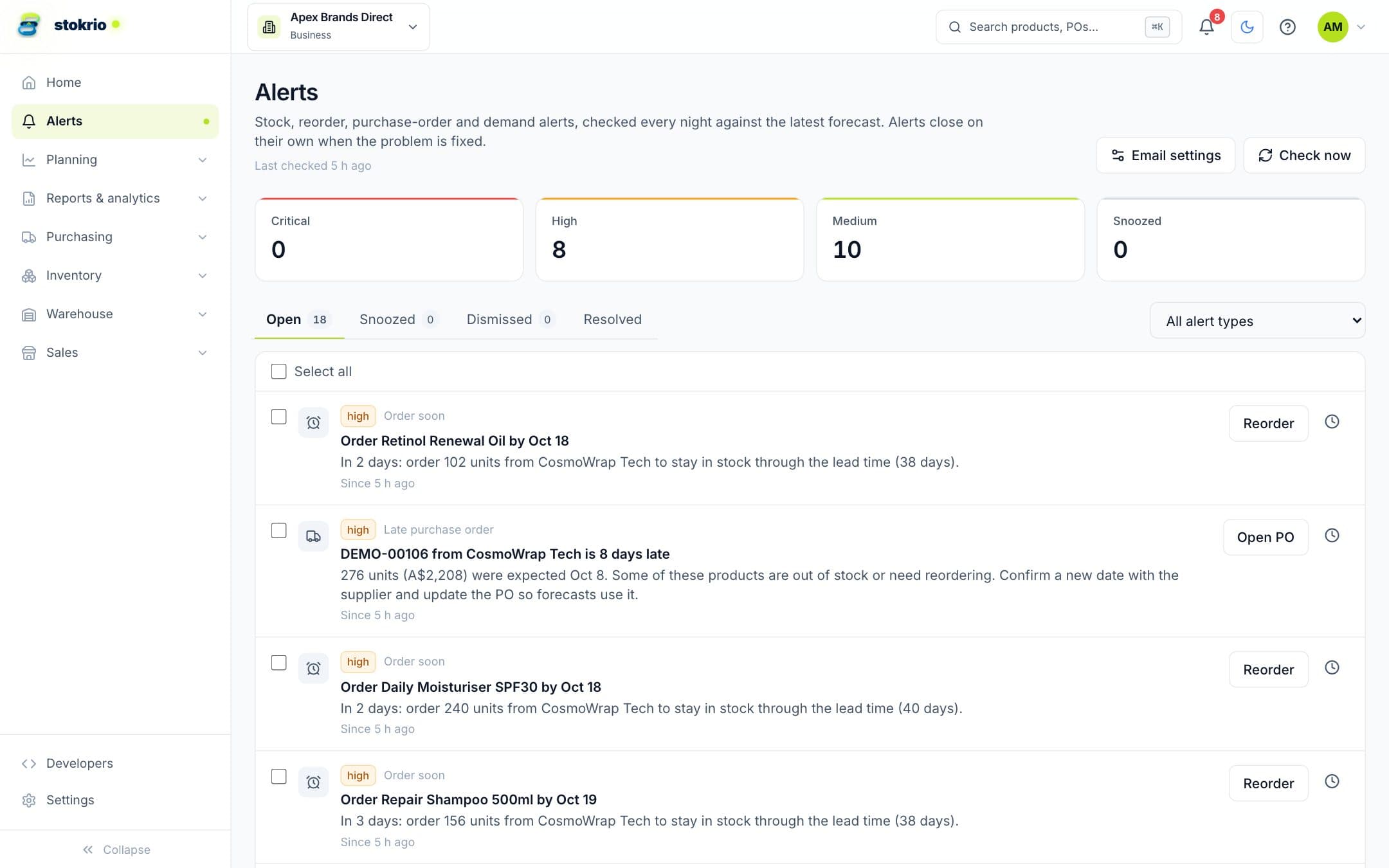
How alerts & weekly digest works
Stokrio raises alerts for products that are out of stock, need reordering now or soon, purchase orders that are late, and unusual sales spikes or drops. Alerts are prioritised by severity, auto-resolve when the condition clears, can be snoozed or dismissed, and are emailed each morning. A Monday digest summarises last week's sales, what to order by supplier, deliveries due and rising or falling products.
- Forecast-based, not thresholds
- Alerts use each product's forecast, lead time and safety stock — no manual min/max levels to maintain.
- Late purchase orders
- Overdue deliveries are flagged, with higher severity when they hold up products that are out of stock.
- Sales spikes and drops
- Unusual weeks are flagged so you can adjust the forecast for a promotion or check a listing.
- Self-resolving
- Alerts close when the condition clears. Snooze or dismiss the ones you've handled.
- Morning email and Monday digest
- Each person chooses which severities to receive and whether to get the weekly digest.
Frequently asked questions
Do I need to set reorder points for alerts?
What's in the weekly digest?
Works with
Demand forecasting
Per-product demand forecasts for Shopify brands: 12 statistical models compete on each SKU's own history, stockouts are treated as missing demand, and seasonality is detected automatically.
Learn morePurchase orders & receiving
Create purchase orders from reorder suggestions, email them to suppliers with a CSV, receive in full or in parts with lot and expiry details, and see deliveries on a 12-week calendar.
Learn moreInventory reports & analytics
22 inventory, sales, purchasing and forecast reports for Shopify brands: stockout risk, excess and dead stock, aging, ABC-XYZ, in-stock rate, sell-through, GMROI, supplier OTIF — with comparisons, CSV, PDF and scheduled email.
Learn moreScreenshots use illustrative demo data, not customer results.
See Stokrio with your own data
Create a workspace in minutes. Connect Shopify or start with the API.