Purchasing
Bring your Stocky history with you
Import purchase orders, suppliers and supplier costs from Stocky, Inventory Planner or any spreadsheet. Every row is checked first, and re-importing never creates duplicates.
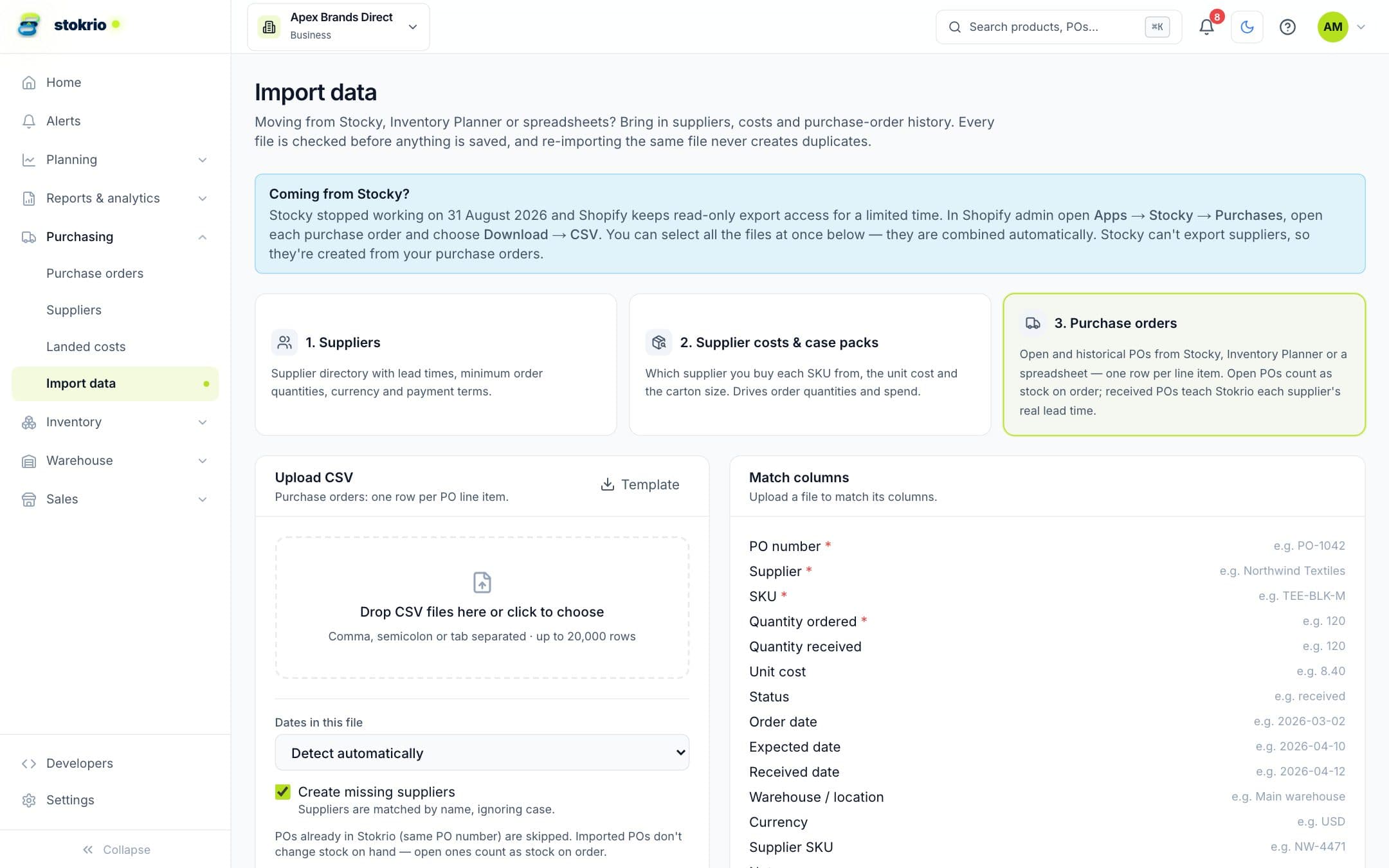
How import from stocky & spreadsheets works
Stokrio imports purchase orders (one row per line), suppliers, and supplier costs and case packs from CSV. Column names from Stocky, Inventory Planner and common spreadsheets are matched automatically, several files (Stocky exports one CSV per PO) are combined, dates are read in any common format, and a dry run lists every error before anything is saved. Imported open POs count as stock on order and received POs give real supplier lead times from day one.
- Made for Stocky exports
- Select every per-PO CSV at once; Stokrio combines them. Suppliers are created from your POs because Stocky can't export them.
- Check before you commit
- A dry run shows exactly what will be created, with every error and warning by file and row.
- Idempotent
- POs match by number and suppliers by name, so fixing a file and importing again never duplicates data.
- History that pays off
- Received POs with dates become measured lead times; open POs become stock on order.
Frequently asked questions
Is Shopify Stocky being discontinued?
Can I import Stocky suppliers?
Does importing change my stock levels?
Works with
Purchase orders & receiving
Create purchase orders from reorder suggestions, email them to suppliers with a CSV, receive in full or in parts with lot and expiry details, and see deliveries on a 12-week calendar.
Learn moreReplenishment & reorder planning
Know what to reorder, when and how much. Statistical safety stock, real supplier lead times, MOQ and case-pack rounding, order-by dates and budget-aware purchasing for Shopify brands.
Learn moreDemand forecasting
Per-product demand forecasts for Shopify brands: 12 statistical models compete on each SKU's own history, stockouts are treated as missing demand, and seasonality is detected automatically.
Learn moreScreenshots use illustrative demo data, not customer results.
See Stokrio with your own data
Create a workspace in minutes. Connect Shopify or start with the API.