Playbook
Move off Stocky in an afternoon
Stocky stopped working on 31 August 2026. The team has a folder of per-PO CSV exports and no supplier list, and needs to keep buying without starting from zero.
- Who it's for
- A Shopify brand that ran its purchase orders in Stocky until it shut down.
- Time needed
- An afternoon
- 1
Connect Shopify
Products, stock and your order history come across, and forecasts are calculated as soon as the history is in.
More on demand forecasting → - 2
Drop every Stocky CSV at once
Import data combines the files, matches the columns, reads dates in any format and lists every problem by file and row before anything is saved.
More on import from stocky & spreadsheets →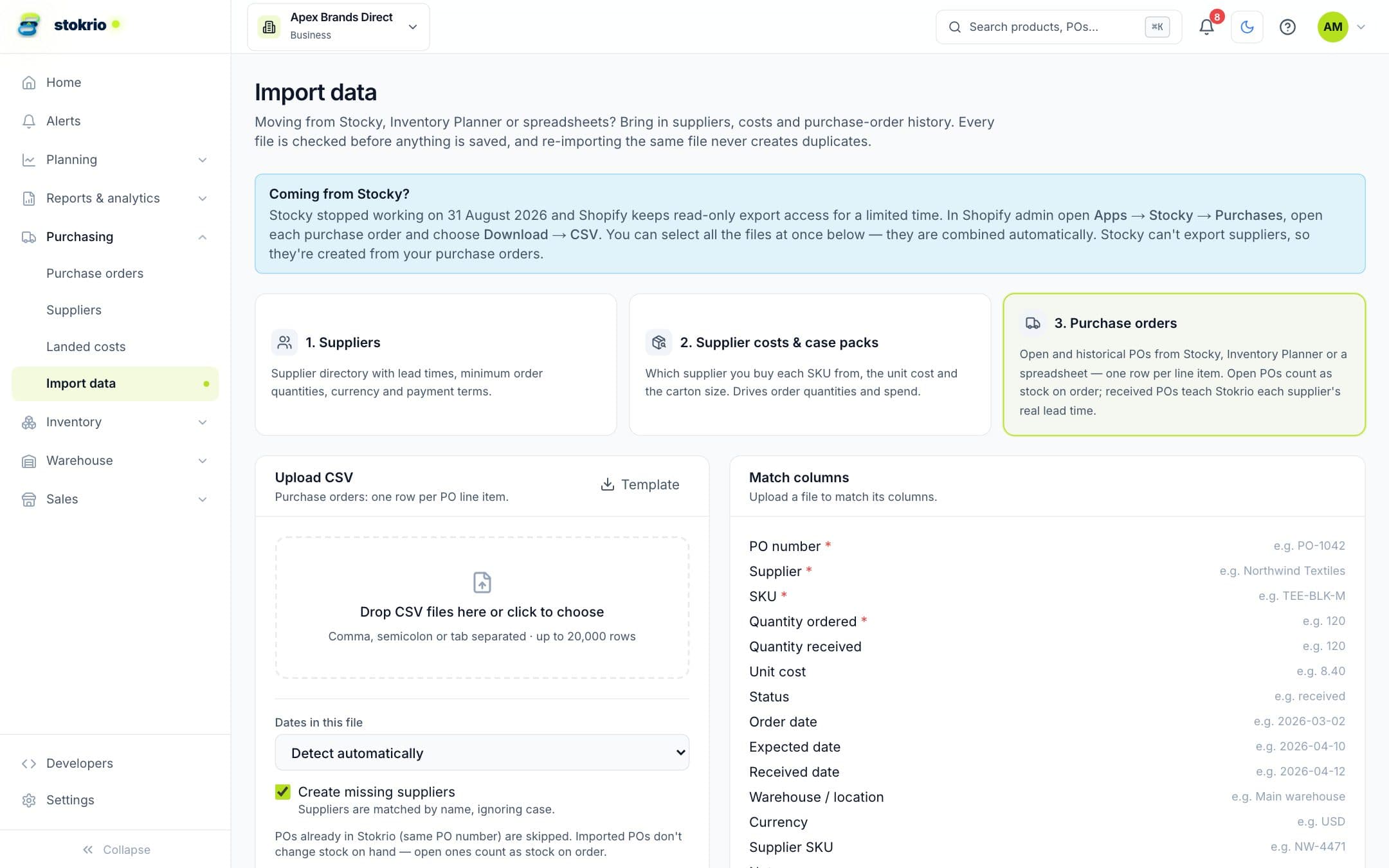
- 3
Let suppliers come from the POs
Stocky can't export suppliers, so Stokrio creates them from the supplier names on your purchase orders and learns their real lead times from received POs.
- 4
Review what to order
Open replenishment: open POs count as stock on order, so nothing is ordered twice.
More on replenishment & reorder planning →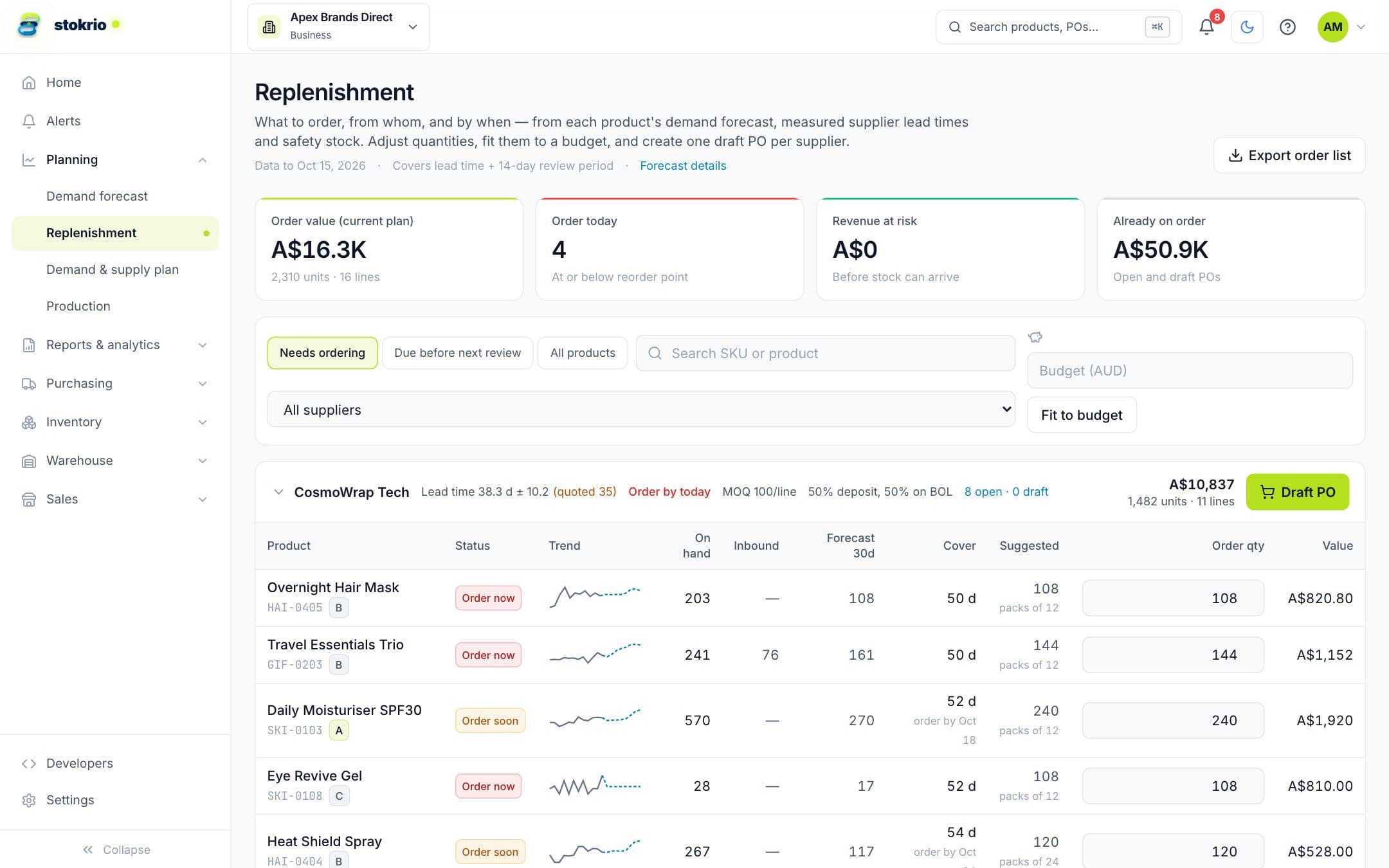
What changes
- Purchase history and suppliers carried over instead of re-typed
- Reorder points from measured lead times from day one
- Open POs count as on order immediately
An illustrative walkthrough with demo data — not a customer case study.
See Stokrio with your own data
Create a workspace in minutes. Connect Shopify or start with the API.