Platform
Your brand on the front. Stokrio under the hood.
Turn inventory planning into a service you sell. Clients open a workspace that looks like yours, from a button in your portal, and see Stokrio as the engine powering it.
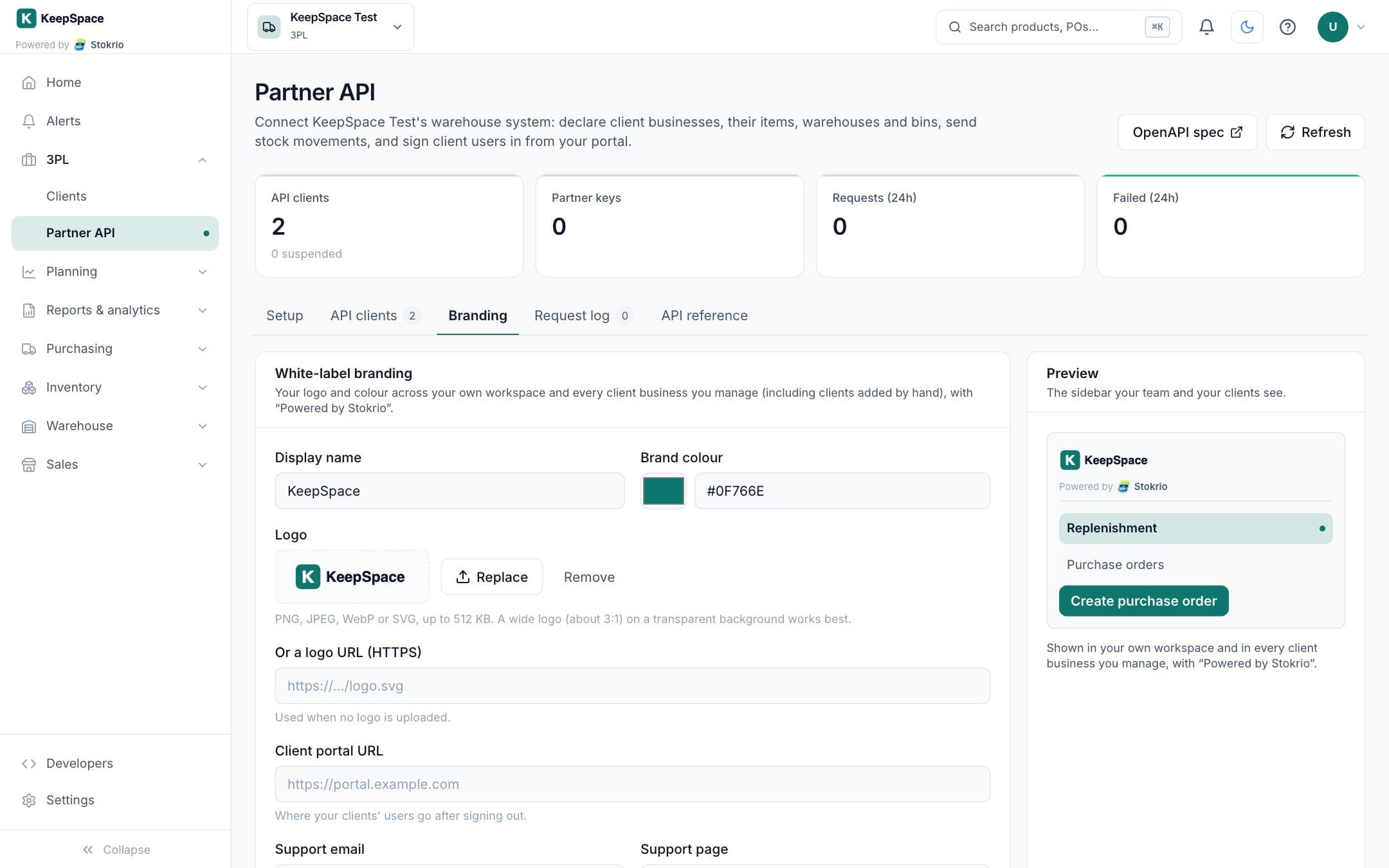
How white-label for 3pls works
Stokrio lets a 3PL white-label its workspace and its clients' workspaces: the 3PL uploads a logo (PNG, JPEG, WebP or SVG) or links one, picks a brand colour and support contacts, and every client business it manages shows the 3PL's logo with "Powered by Stokrio". Client users sign in from the 3PL's portal through single-use links and return to the portal when they sign out.
- Logo and colour
- Upload your logo once; buttons, highlights and charts take your colour in your workspace and every client's.
- Powered by Stokrio
- A clear partnership mark under your logo, so clients know what's running their planning.
- Sign-in from your portal
- Single-use links from your system; sign-out returns them to your portal.
- Your support, your contacts
- "Contact <your 3PL>" in the help menu goes to your support email or page.
Frequently asked questions
Can we use our own domain?
Do clients need a Stokrio account?
Works with
3PL client workspaces
For third-party logistics providers: a branded workspace for every client you store for, fed by your warehouse system through the partner API, with client users signing in from your portal to plan and buy.
Learn moreAPI, webhooks & AI agents (MCP)
A REST API with scoped keys, signed outgoing webhooks for stock and purchase order events, and a Model Context Protocol (MCP) server so AI assistants like Claude can query your inventory.
Learn morePick, pack & ship
Batch orders into pick waves with a pick list in walking order, units combined per location and split by trolley slot, verify every item at a scan-to-pack station, and print Australia Post labels from the bench.
Learn moreScreenshots use illustrative demo data, not customer results.
See Stokrio with your own data
Create a workspace in minutes. Connect Shopify or start with the API.